
现场手册
Grok Bot 101
v0.4.0 · Aug 31, 2026
A field bible for Grok Bot, Grok Build, and Cursor. This file is the English source. Keep chapters in sync with ko.md. Official handbook pages are cited as [source](url). Screenshots you still need to take are labelled placeholders.

1. How to read this
Use this as a working book, not a marketing page.
- Skim the contents.
- Install and create one Bot from the official get-started path.
- Prefer Add to Grok Bot from a public
x.ai/bot/…link. Copy setup text only when no share link exists. - Fill the placeholder screenshots with your own app captures. Do not paste other people’s private screens.
This site is unofficial. Mechanics come from xAI docs. Listings, Portato, and the migrate skill are MIT extras on getgrokbot.com.
2. What Grok Bot is
Bots are AI teammates you can give real work to. They sign into apps and websites on a persistent cloud computer, pass context to each other, and come back when something needs approval. source
In the docs and in the app, a Bot is a single persistent, named agent — one teammate.
What makes it different, from the official overview source:
- It has a computer of its own. Persistent cloud VM with browser, filesystem, and terminal. Connectors/MCP where they exist; computer use where they do not.
- It is easy to start. Create a Bot, message it, grant access as needed. Same Bot on desktop and iOS.
- It coordinates with other Bots. They share one user-scoped computer and can run in parallel.
- It can learn a workflow from a live demonstration. Ask it to follow once, then save a skill or routine.
- It is persistent. Named Bots keep memory, files, browser sessions, and preferences.
getgrokbot.com is a sponsor-free directory. It is not an xAI product. Official product: x.ai/bot. Launch post: source.
3. The Grok stack
Three surfaces share a frontier model family. They are not the same product.
Grok Bot
Always-on teammate. Computer, plugins, skills (how), routines (when), group chats. Templates and Portato target this surface.
Grok Build
xAI’s build surface for shipping software with Grok. Use it when the job is a repo, a diff, or a product slice — not a standing inbox. A Bot can still install a coding agent on its computer and hand work across.
Cursor
The editor. Several Cursor plans include Grok Bot. Desktop onboarding lives at cursor.com/bot/onboarding. Do not confuse Cursor Agent in the IDE with a Grok Bot teammate.
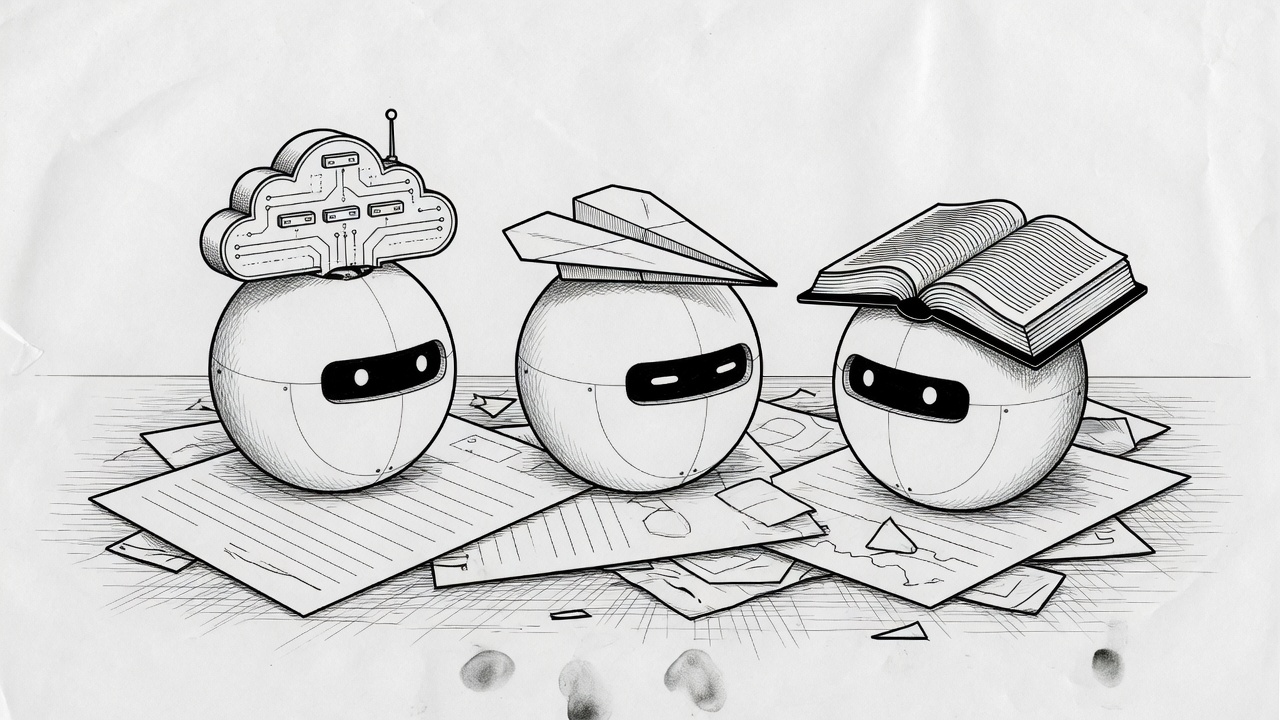
Official handbook cover (docs):
4. Access and plans
You need an eligible plan. Official get-started list source:
- SuperGrok Plus
- SuperGrok Heavy
- Cursor Pro+
- Cursor Ultra
- Cursor Teams Standard or Premium (sign in with Cursor)
Grok Bot is not currently a Linux desktop app. iOS is supported. source
Grok Bot requires cloud data storage. Accounts on Legacy Privacy Mode must move to a supported Cursor data setting first. source
Plans help: source. Cursor pricing: source.
If the app will not open, start with the plan — not with a template.
5. Install the desktop app
Official path: the Grok Bot access page. source
macOS
- Choose Apple silicon or Intel.
- Open the disk image.
- Drag Grok Bot to Applications.
- Open it. If macOS asks, choose Open.
Check Apple menu → About This Mac. A Chip field means Apple silicon; Processor means Intel. source
Windows
- Choose x64 or Arm64.
- Run the installer.
- Open Grok Bot from the Start menu.
Updates are automatic. Check for Updates is under Settings → Beta. source
Sign in
- Get started on the welcome screen, or Sign In with Cursor from Settings.
- Finish authentication in the browser.
- Return to the app.
Grok Bot uses your Cursor account. SSO is the organization sign-in flow. First use introduces Bots, the shared computer, and routines, then asks which tools you use. Those answers shape suggestions; they do not connect the tools by themselves. source

Image slot · macOS install screen — drop your screenshot
*Placeholder. Caption: cursor.com/bot/onboarding download chooser. Fill with your own capture.*
6. Create the first Bot
Official create path source:
- New in the sidebar, or
Cmd/Ctrl+N. - In New chat, Create new agent.
- Grok Bot opens a Bot named New Agent.
- Bot actions → Edit Profile for name, title, description, avatar.
- Start with a concrete task.
Give each Bot a distinct goal, tool set, working style, approval boundary, and schedule. Good jobs: Talent Scout, Expense Manager, Bug Reproduction. A job named General Helper gives the Bot less to hold. source
Official example source:
Name: Piper Job: Product performance Description: Investigate product-performance questions using our observability tools. Preserve links and screenshots, separate evidence from hypotheses, and return a short summary with the highest-impact issue first. Never change production settings.
An account holds up to 50 Bots and group chats combined. source
Focused Bots beat a catch-all. Add more with New → Create new agent when work splits.
Image slot · Edit Profile — drop your screenshot
*Placeholder. Caption: Bot actions → Edit Profile. Name, title, description, never-do list.*
7. Give it a first task
A strong request has five parts source:
- Outcome — what should be finished?
- Sources — which apps, files, conversations?
- Constraints — what must it avoid or ask?
- Deliverable — what should it return?
- Review point — when should it stop for you?
Five-minute first result with no login, official prompt source:
Summarize this document in five bullets. List every date, decision, and open question in a separate section. Cite the page or section for each item. Do not change the source file.
Then try a tool:
Open our analytics dashboard and compare new-user activation for this week with the previous four weeks. Identify the largest step-level change and draft a short investigation plan with links to the relevant charts. Do not change any dashboards. Ask me to sign in if needed.
Official overview also gives a multi-tool handoff source:
Pull this week's Strategic Prospects PG List from Salesforce. Skip anyone already in a sequence. Research the top 5 accounts across the web, Slack, Databricks, and Sumble, pull contacts, and draft LinkedIn and email in my voice, and leave me drafts to approve by tomorrow morning
That is the grain: what, where, context, finished shape, approval.
Before allowing external changes, read Approvals, security, and privacy source.
8. Anatomy of a Bot
- Profile — name, title, what it owns, what good looks like, what it must never do without asking, first task.
- Description is the standing rule. The chat is the task. “Never send without approval” belongs in the description. source
- Skill = how. Do the task once, then save. Do not schedule a skill you have not run. source
- Routine = when. Cap 50 routines per Bot. The app keeps the 20 most recent run records for each routine. Deleting a routine has no undo. source
- Memory is not the source of truth. Changing facts stay in the source system. Cite or reopen current data for consequential decisions. source
- Duplicate Bot copies profile, settings, enabled skills, routines, and avatar. It does not copy conversation history, learned memory, or chat attachments. source
- Hide removes a Bot from the sidebar without deleting work. Hiding does not pause routines. source
- Pin keeps active Bots at the top.
Ten Bots you skim is worse than two you trust.
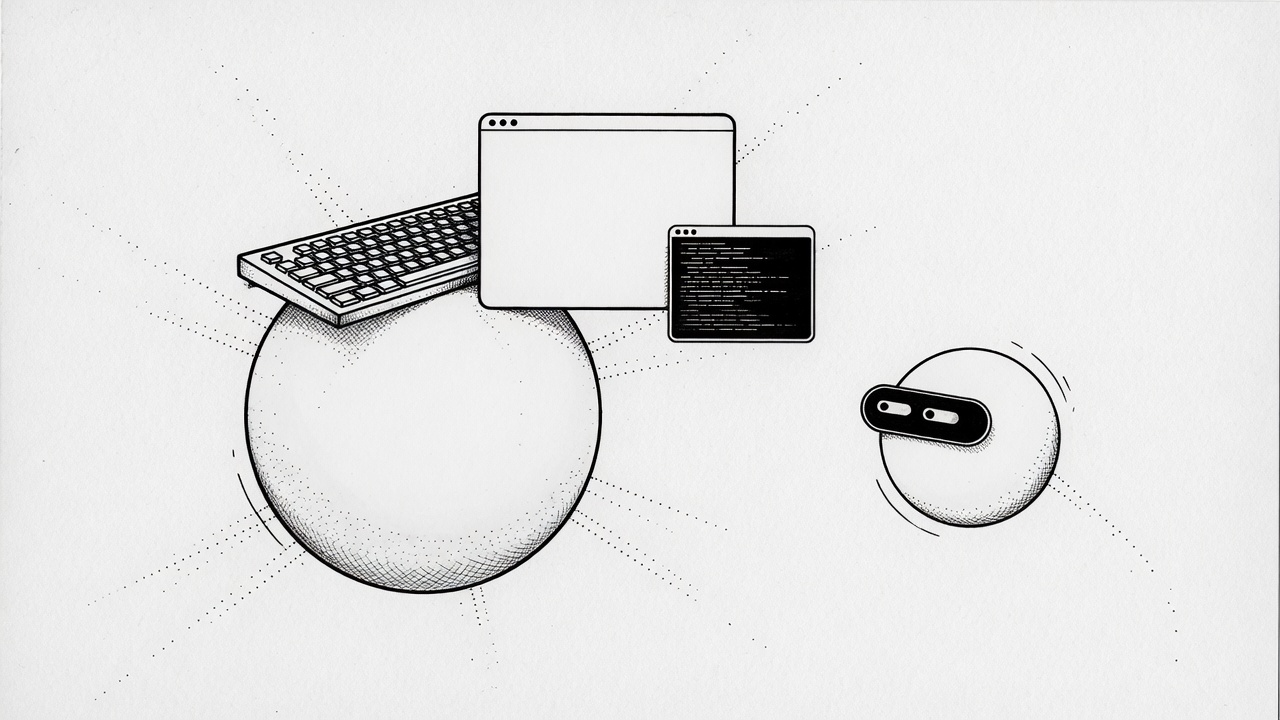
9. The shared computer
Every Bot on the account uses the same persistent cloud computer source:
- Browser cookies and signed-in sessions are shared
- Files are visible to every Bot
- Command-line credentials are shared
- One Bot can continue work another Bot saved
The computer is assigned to your user account, not to one Bot. Do not put a credential on it if another Bot should not use it. Each Bot gets its own screen, so they can run in parallel — screens are work surfaces, not security boundaries. source
Watch work: open Agent Computer from a conversation. Closing the laptop does not stop cloud work.
Shared workspace: /workspace. Keep durable project files there.
Settings → Beta:
- Update Agent Computer — latest image, durable state kept
- Recover Agent Computer — unreachable computer
- Reset Agent Computer — last durable snapshot; can discard unsaved work
Your Mac or Windows machine is separate. Local commands default to Ask every time. source
10. Plugins and login walls
Connectors show as Plugins. Official connect path source:
- Settings → Plugins
- Browse connectors
- Add
- Authenticate in the browser if asked
- In chat, type
@to attach a connector. Type/to reference a saved skill.
Prefer a connector when one exists. Use the browser when it does not.
When the Bot hits a password, passkey, 2FA, CAPTCHA, payment, or identity check source:
- Open Agent Computer
- Take control
- Complete only the blocked step
- Return control and tell the Bot to continue
Do not paste passwords or one-time codes into chat. Installed connectors are account-wide.
Image slot · Plugin login wall — drop your screenshot
*Placeholder. Caption: Agent Computer takeover at a 2FA screen. Fill with your own capture. No codes visible.*
11. Skills = how
A skill is a reusable set of instructions for how to do a task. Start with a one-time task. Make it reliable. Save the method. Only then automate. source
Official save prompt:
Save the process we just used as a skill called “Weekly account health.” Include the source systems, risk definitions, output format, and the rule that customer contact always requires approval.
A useful skill states: when to use it, required inputs, sequence, how to validate, what to return, what requires approval. source
Teach a task (when available): demonstrate a browser workflow up to ten minutes. No microphone audio. Review the draft skill. Add decision rules the demo did not show.
If the control is missing, ask the Bot to create a skill from written instructions and the completed task.
Image slot · Save a skill — drop your screenshot
*Placeholder. Caption: skill saved after one successful run. Fill with your own capture.*
12. Routines = when
A routine tells one Bot when to run a workflow — on a schedule or, where supported, after an event. source
Official weekday example:
Every weekday at 8:00 AM, run the Daily customer-risk skill against the current account list. Post a linked watch list in this conversation. Do not contact customers. If the source data is unavailable, report the failure instead of using old data.
Confirm: owning Bot, schedule and time zone, input source, expected result, approval boundary, missing-source behaviour.
Test run performs real work. It can navigate websites, change files, and call tools. Use safe inputs. Keep writes behind approval. source
Manage from the Bot → View conversation details → Routines: enable, pause, test, edit, inspect, delete.
Event triggers (Slack message, GitHub notification) are separate from plugins. Narrow matching rules. Avoid “every new message.”
Design for trust: automate preparation before execution; draft first; require approval for send, purchase, delete, publish, production; no-data policy; idempotent retries.
Image slot · Routines list — drop your screenshot
*Placeholder. Caption: Routines panel with next run time. Fill with your own capture.*
13. Approvals, security, privacy
Set a boundary in the request source:
Reconcile the campaign data and draft a recommended budget change. Do not change the campaign or message the agency. Ask for approval after showing the current value, proposed value, and expected impact.
Prefer explicit stops for: sending, publishing, purchases, deletes, permission changes, production, accepting legal terms.
Desktop: Allow once, Deny, Always allow. iPhone: Approve once, Deny. Do not approve an action you cannot identify.
Auto Review (when available): Settings → General → Auto-review. Require Approval wins over Always Allow. Write narrow rules. Avoid “allow everything in the browser.”
Do not treat separate Bots as a security boundary. They share the computer. Sign out when a service should no longer be available. source
Sharing a Bot is not a security boundary either. The public link copies configuration, not your computer. Still: no secrets in a Bot you share.
Grok Bot uses Cursor authentication. It does not support Legacy Privacy Mode. Review Cursor Privacy and security.
14. Share a Bot (templates)
Official share path source:
- Open the Bot and copy its share link.
- Send the link. The recipient opens a preview on x.ai and can choose Add to Grok Bot.
- They need the Grok Bot app to finish.
The link is public. Anyone with it can view identity, description, skills, and routines. Strip keys, internal URLs, customer data.
Adding creates a copy on the recipient’s account. It does not give them your computer, logins, or conversation history.
Shared Bots are created by other users, not by SpaceXAI. Adding one accepts the third-party bot terms source.
On this site: a template is only a public x.ai/bot/{token} posted on X. getgrokbot cannot mint those URLs. Directory listings without a share link stay in the table — Copy into Edit Profile.
Image slot · Add to Grok Bot preview — drop your screenshot
*Placeholder. Caption: official x.ai/bot preview, Add to Grok Bot button. Fill with a public template you added.*
15. Viral templates from X
Do not paste someone else’s configuration. Credit the original post. Add from the official preview. Full grid: getgrokbot.com/templates.
Official template launch on X: source
dr eggbot — @poteto. Designs Bots; coding Bots get the poteto-mode bar. Add.
Researchy — @farzyness. Grok Build CLI, highest thinking. Add.
Shepherd — @herdrdev. Herds coding agents on the Bot computer so Grok Bot limits stay on coordination. Pair with Aaron’s walkthrough. Add.
Be Happier / Talent Matchmaker / Lennybot — @lennysan.
loops, Master, Chief of Staff, Growth Desk, Forge, Grok Bot Coach — Avid’s six.
Credit Card Max, Chef, and the unicode roundup — @unicodef1wn.
Rewardsmaxxing — @ishuagra02.
Strip keys. Run one reversible task. Do not redistribute a shared Bot without the creator’s permission.
16. Official guides (structure we adopt)
xAI publishes job guides at x.ai/bot/guides source. We do not reprint those articles. We adopt the shape: one job, one roster, one board — then link the original.
How I run multiple teams of Grok Bots
source — 27 Aug 2026.
Pattern: each project gets a Grok Bot channel and a Notion row. A projects Manager bot does meta work (create project, open channel, staff it). Reuse existing bots first. Propose at most five besides the PM. Create a new Bot only after you say yes.
Official screens from that guide:
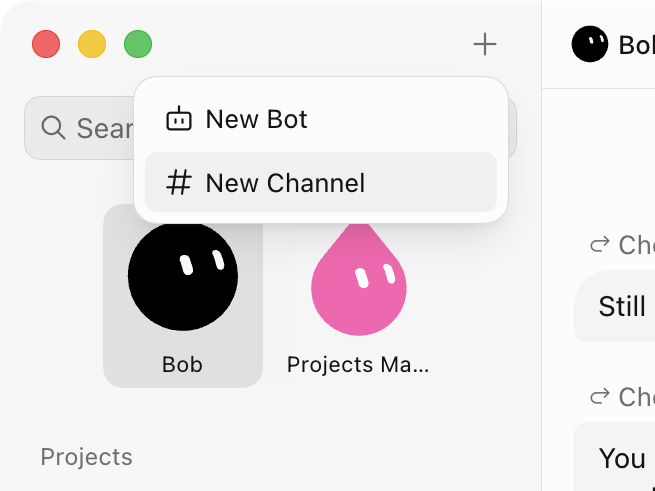
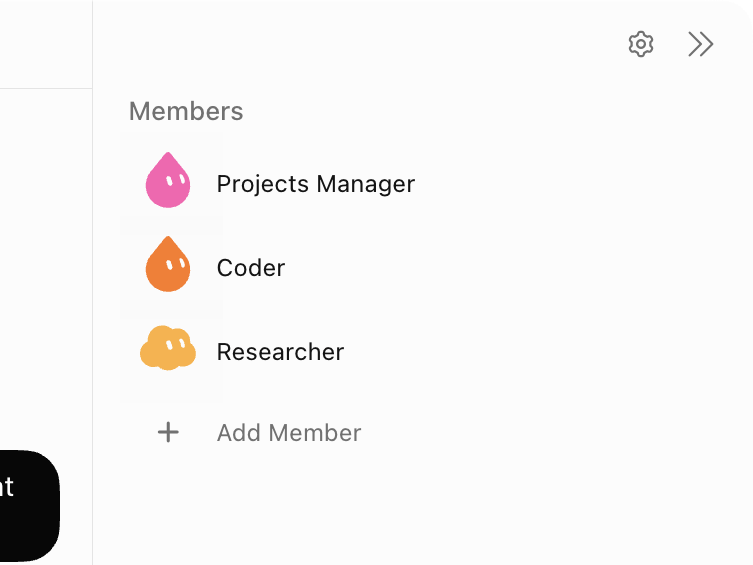
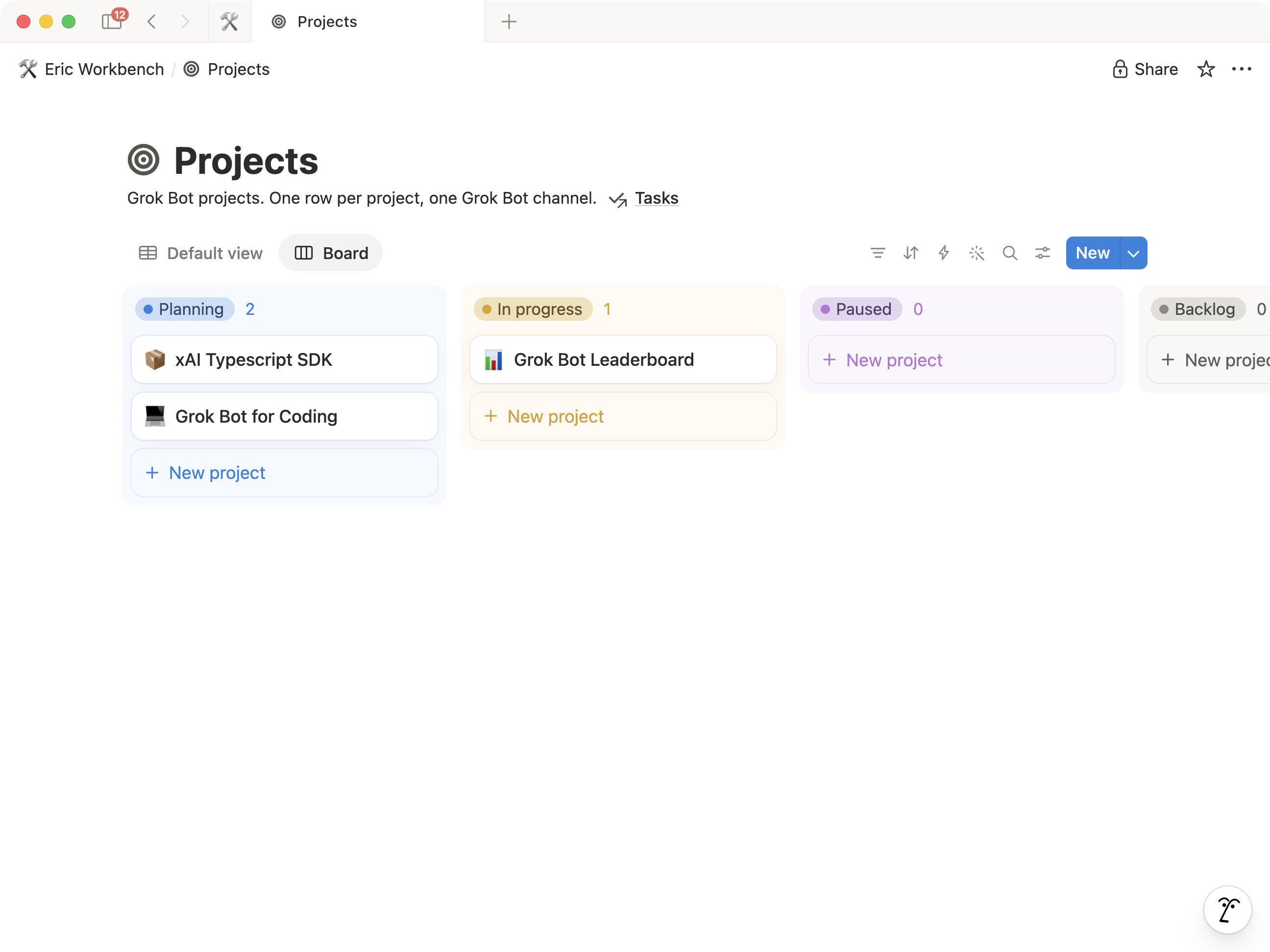
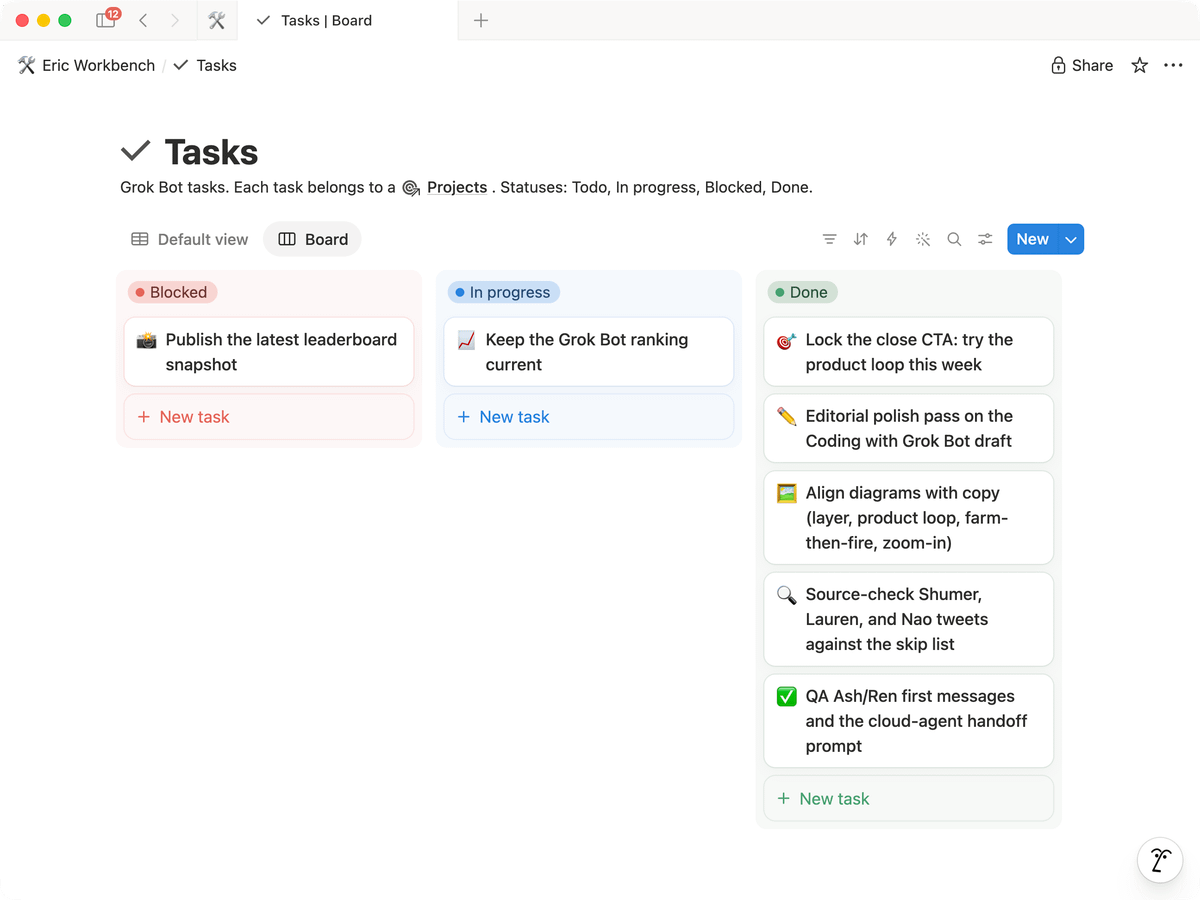
Cover card on the guides index (official art, link out):
Grok Bot for PMs
source — 15 Aug 2026.
Shape we adopt, not the author’s roster names:
- An attention list that emerges from Slack, mail, calendar, and meetings — not a stale weekly priority doc.
- Named specialists, not one omniscient box. Official reason: referenceability, parallelism, scoped memory.
- Lessons from the original: separate memory per seat; agents learn on the job; stay quiet unless something needs you; the human still sends the important messages.
Official still from that guide (research across customer context):
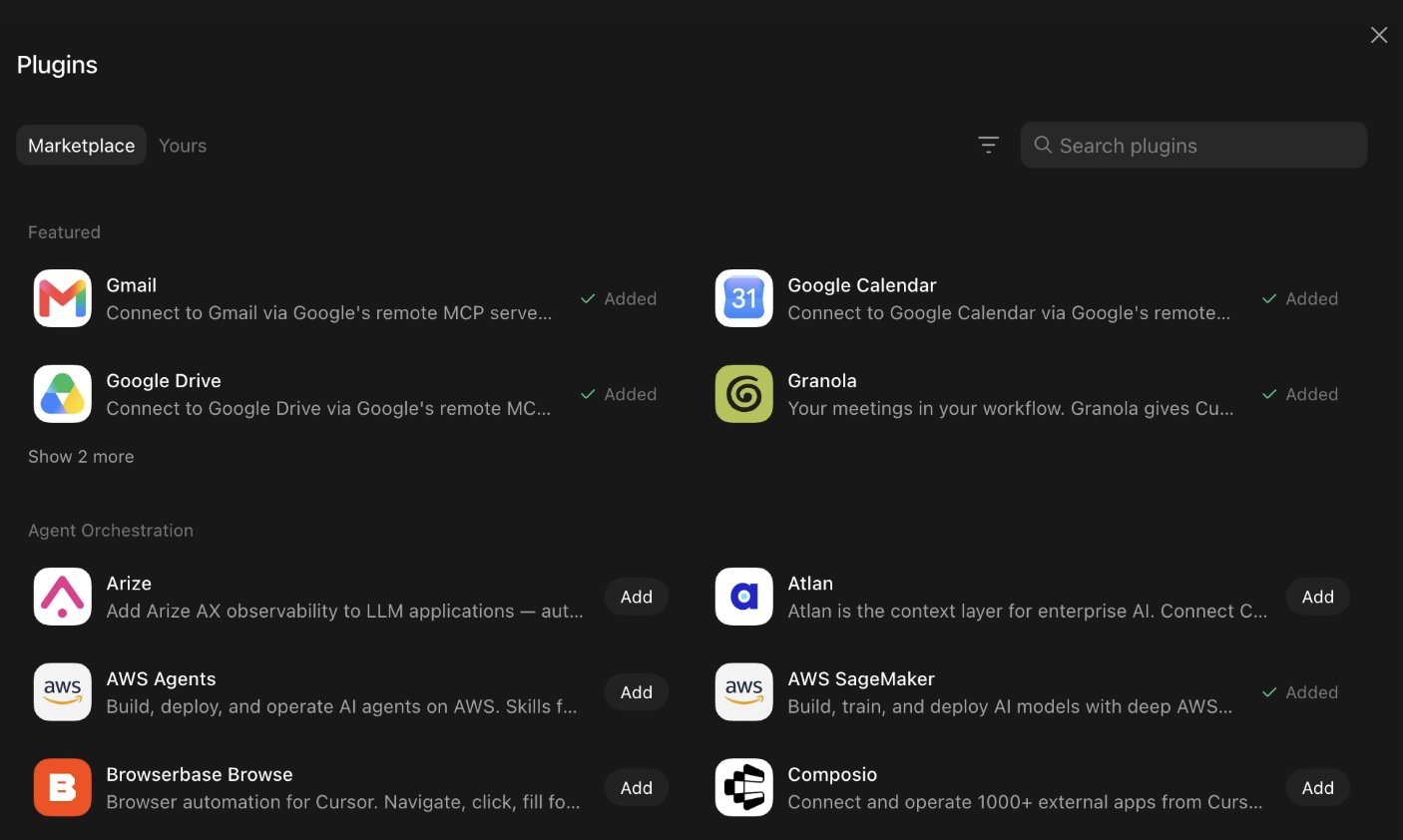
Read the original. Do not paste their internal job list as a template.
Grok Bot for GTM
source — 16 Aug 2026.
Shape we adopt:
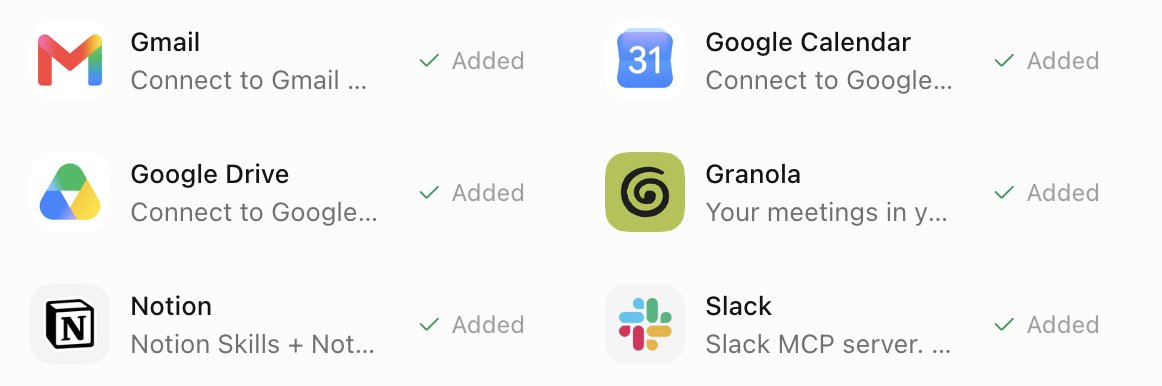
- Connect the tools you already live in (CRM, mail, calendar, Slack, notes, slides, warehouse) before you invent a new org chart.
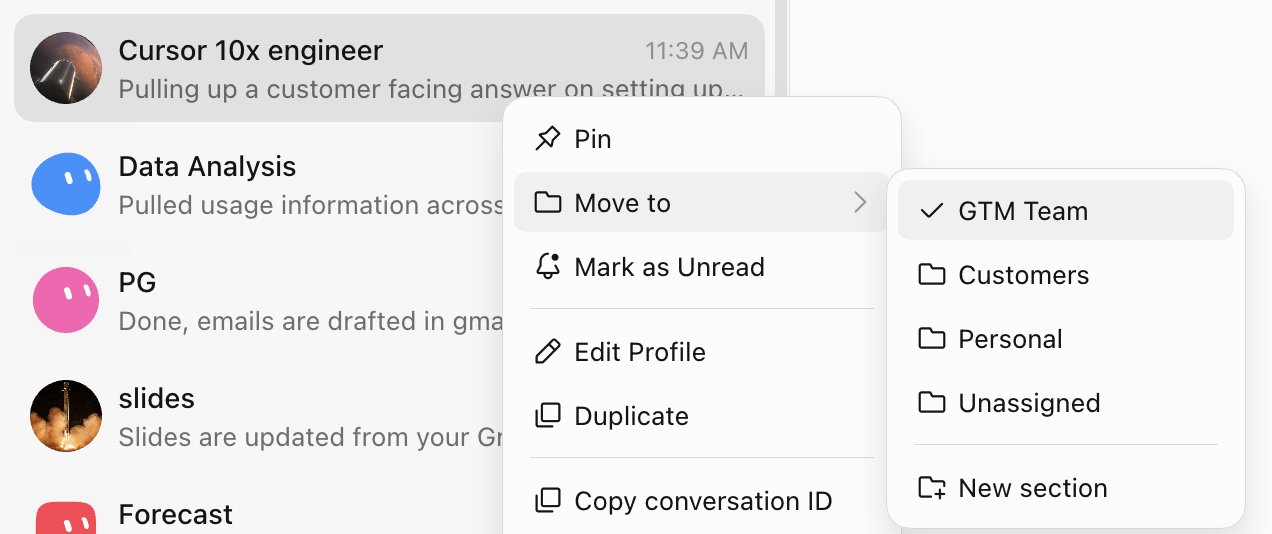
- A Chief of Staff orchestrates. Other bots own one job: meeting prep, prospecting, one strategic account, data, product questions, 1:1 prep, forecast notes, slides, call coaching.
- Onboard a Bot like a teammate: demonstrate once, save a skill, feed it writing you are proud of, put specialists in a group chat when the handoff itself must be visible.
Official stills from that guide:
The original includes a long “weekly media rundown” prompt. That is their setup text. Open the source if you want it. Do not copy it here.
Designing Grok Bot with Grok Bot
source — 24 Aug 2026.
Shape we adopt:
- Experiments — make an idea real enough to judge before it is on a roadmap.
- Motion — work on the production asset and talk in feel-language (“hold the look longer”), not a guessed millisecond.
- Figma production — inspect the real file (positions, spacing, components). Do not eyeball logos or the tenth card.
Official stills from that guide:
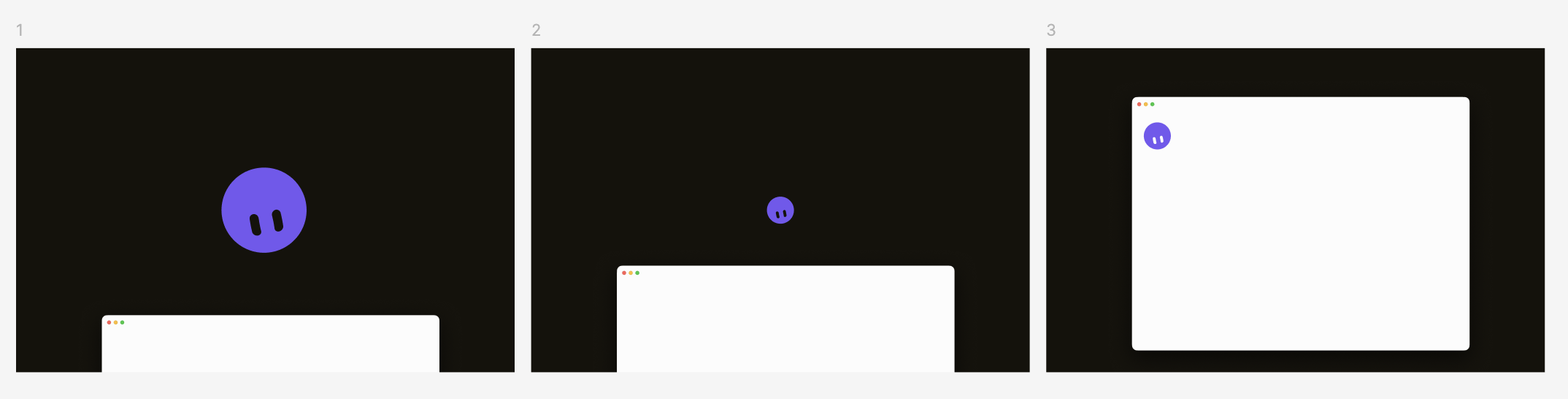
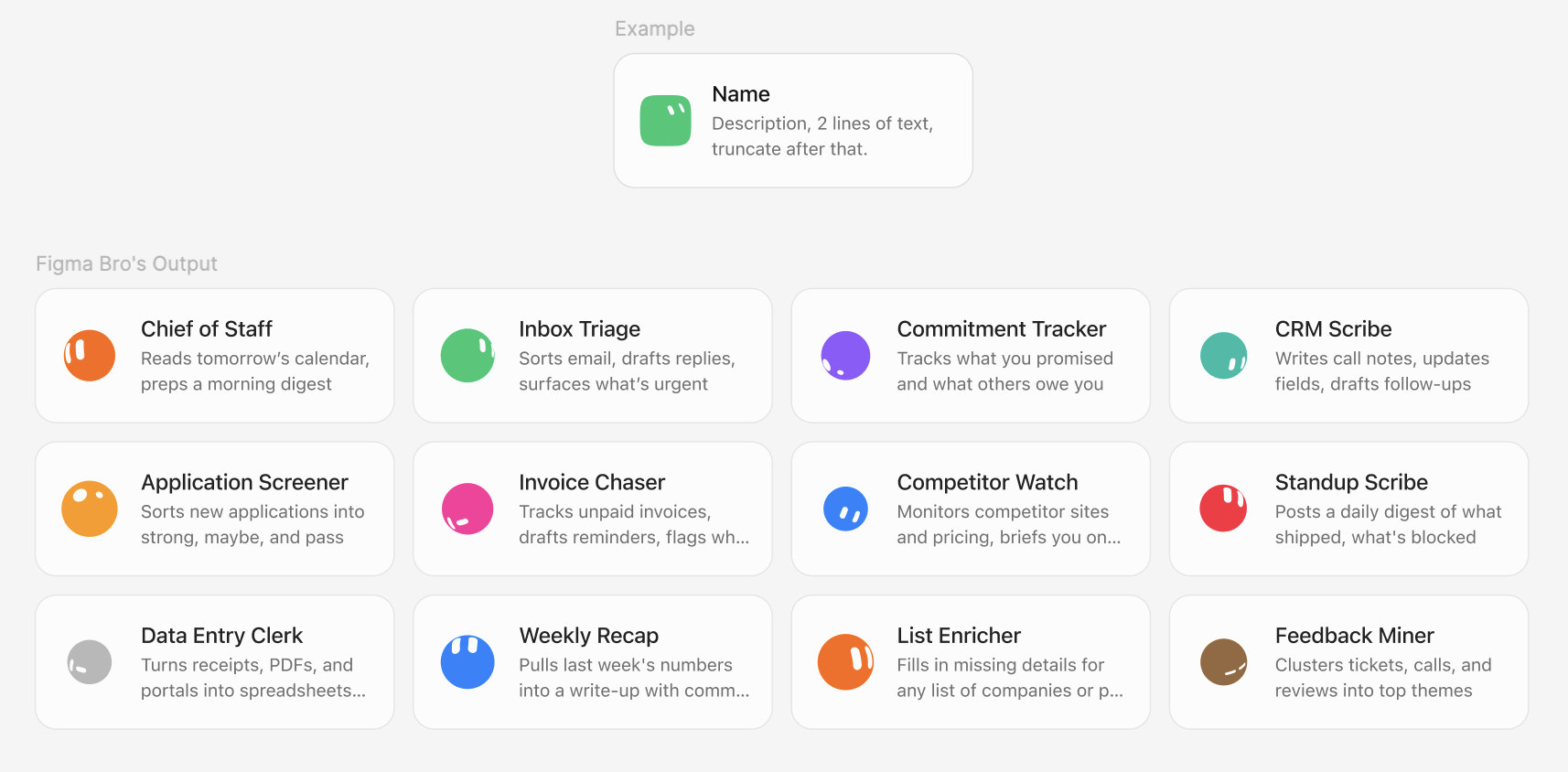
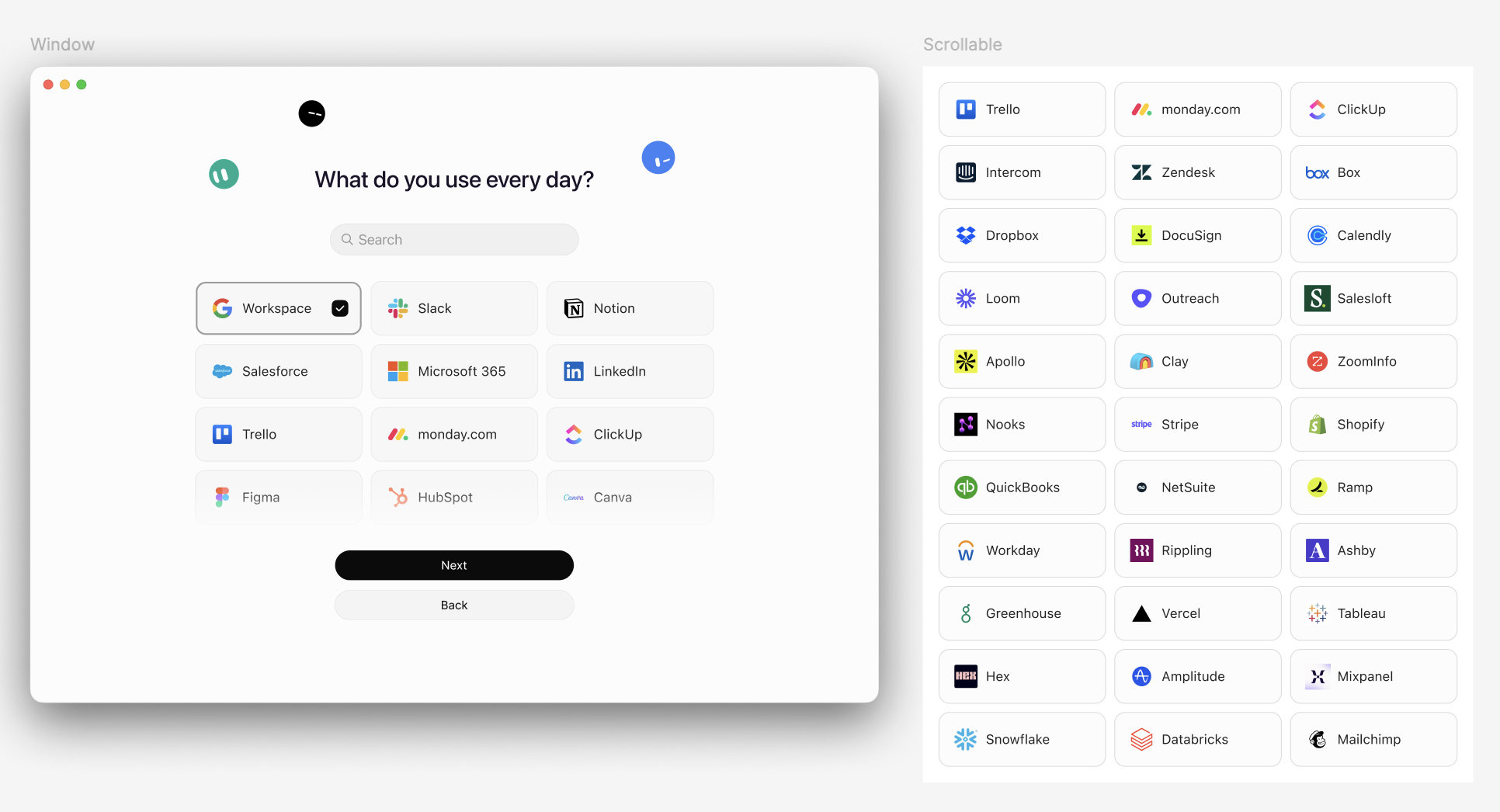
The original also has short videos (notch, corner peek, cursor companion). Watch them on x.ai. We do not vendor those clips here.
Grok Bot for mobile app development
source — 25 Aug 2026.
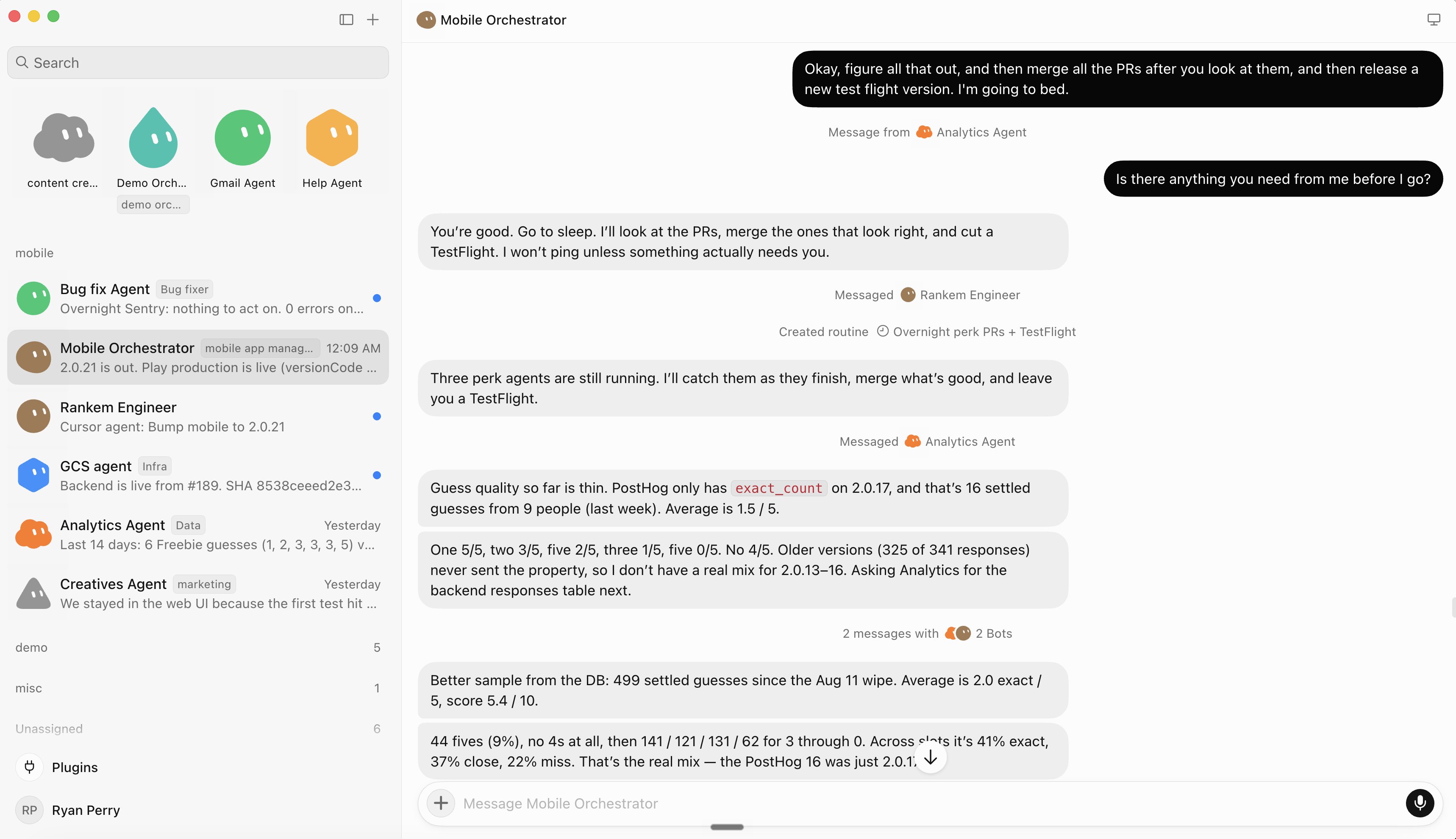
Shape we adopt: six seats covering the work that is not the game itself — user acquisition, performance creative, client engineering, backend and live ops, release, QA. Each Bot has a job, connections, a computer, routines, skills, and handoffs. Analytics is the only seat allowed to declare a finding. Creative never buys media. Engineering takes a spec, not a suggestion. Spend stays human.
Official still from that guide (bots handing work overnight):
The original includes a long Analytics-bot configuration dump. That is their setup text. Open the source. Do not copy it here.
Nate Herk’s 20-minute walkthrough (community video, not xAI): source.
17. What this directory is for
Use X templates for jobs that already exist. Use this catalog when you want a paste-ready profile with a never-do list, or Portato from Hermes / OpenClaw.
Setups that do not invent a new org chart:
- Add dr eggbot → ask it to design one Chief → paste Inbox Chief from this directory as the written profile.
- Add Shepherd → install Codex or Grok Build on the computer → keep Grok Bot as coordinator.
- Add Rewardsmaxxing → do not paste card numbers → human still pays.
- Portato: one-liner into Hermes or OpenClaw, gold tasks 3–5, then cut over.
18. Portato (Hermes / OpenClaw)
Portato is the migrate Bot on this site. The name is Portato in every language. Not @poteto. Not an xAI bot.
Grok Bot has no official Hermes or OpenClaw importer and no public create API. Packets are the path. First Bot is one Chief.
- Install Portato from the listing (Copy, or Add once a share URL exists).
- Paste the one-liner from migrate/hermes or migrate/openclaw.
- Inventory first. Then 3–5 gold tasks (name, input, expected output).
- Order: profile → facts file → skills (how) → routines (when).
- You only handle login walls. Keys,
.env, sessions stay behind. - Cut over only when gold tasks pass on Grok and source schedules are off.
getgrokbot does not mint https://x.ai/bot/…. Create the Bot in the app, Share as template, store the URL.
19. Coding agents on the Bot computer
Yes — you can tell Grok Bot to install Claude Code, Codex CLI, OpenClaw, or Hermes on its cloud computer. Paste-ready prompts: getgrokbot.com/install.
Logins stay human. Rate limits: keep Grok Bot on coordination; put heavy coding on the installed CLI (Shepherd / Herdr pattern). source
Do not paste API keys into chat. Stop at every login wall.
20. X and Threads
Post the install, not the secret.
Do:
- One job in one line
- The
x.ai/botlink and who shared it - Never-send / gold tasks, no keys
- Screenshot of the public preview, not of
.env
Do not:
- Paste someone else’s shared configuration
- Claim xAI endorsement
- Screenshot customer names or card numbers
Official X account: source. Official Bot account launch: source.
21. Placeholders you still fill
Drop captures into content/101/assets/ with these names. Missing files stay as labelled slots on the web page and in the PDF.
install-macos.png— Access page download chooseredit-profile.png— Edit Profileplugin-login.png— Computer takeover at 2FA (no codes)skill-save.png— A saved skillroutine.png— Routines paneladd-to-grok.png— Official x.ai/bot previewfiles-results.png— A result card in conversationgroup-chat.png— Group of two to six Botsios-home.png— iPhone home, synced Bot listsettings-general.png— Settings → Generalcomputer-unreachable.png— Recover computer state
Do not upload customer inboxes or .env.
22. Sources
Opened for this edition:
- Overview
- Get started
- Create and manage Bots
- Message and collaborate
- Computer and apps
- Skills and routines
- Files and results
- Approvals, security, and privacy
- Settings and notifications
- Grok Bot for iOS
- Use cases
- FAQ
- Troubleshooting
- Third-party bot terms
- Launch
- Official guides index
- How I run multiple teams
- Grok Bot for PMs
- Grok Bot for GTM
- Designing Grok Bot with Grok Bot
- Grok Bot for mobile app development
- Plans
- Onboarding
- App Store
- Template launch on X
This directory, Portato, and the migrate skill are unofficial. MIT.
23. A week-one plan
Day 1. Install. Sign in. Create one Bot. Give it the five-bullet document task. No plugins.
Day 2. Connect one plugin. Run a read-only task in that tool. Take over at the login wall.
Day 3. Save yesterday’s method as a skill. Test it on a second input. Do not schedule it.
Day 4. Add a second Bot only if the job is a different owner. Put them in a group chat only if the handoff itself must be visible. source
Day 5. Turn the skill into a weekday routine with a missing-data policy. Test run on safe inputs. Keep send/pay/delete behind approval.
Day 6–7. Add one public template from X if it matches a job you actually have. Read the preview. Strip nothing you do not understand. Run one reversible task.
If anything feels like a farm, stop. Hide extra Bots. Pause extra routines.
24. Glossary
- Bot — one persistent named teammate. source
- Computer — one cloud VM per account, shared by all your Bots. source
- Plugin / connector — structured access to a supported service.
- Skill — how.
- Routine — when. Cap 50 per Bot.
- Template — a public
x.ai/bot/…share link. Not a directory listing. - Add to Grok Bot — official install from that link.
- Copy — paste setup text into Edit Profile.
- Portato — this site’s migrate Bot for Hermes or OpenClaw.
- Gold task — named input and expected output before cutover.
- Chief — the first Bot. Not a Nexus.
- Share link — public. Configuration only. Not computer, not logins.
25. Official FAQ, in the field
These answers are from the xAI FAQ. source
How is Grok Bot different from an AI assistant? Bots use a persistent cloud computer, connected tools, websites, and files. They continue in the background, keep role-specific context, and coordinate with other Bots.
Where do I talk to it? Desktop on macOS or Windows, companion on iOS. Same Bots sync.
Does it keep working when the laptop is closed? Yes. Cloud computer.
Do Bots share one computer? Yes. Per user, not per Bot. Do not use separate Bots as a security boundary.
Can several Bots work at the same time? Yes. Each gets its own screen. One Bot, one computer-use task on that screen at a time.
Can it use any website? Many. A site may still block automation, require a new login, or present a CAPTCHA. Hand those steps to you.
How much does it cost? Eligible plans: SuperGrok Plus, SuperGrok Heavy, Cursor Pro+, Cursor Ultra, Cursor Teams Standard and Premium. Weekly usage; on-demand usage can be added. If you have both Cursor and SuperGrok, Grok Bot uses whichever has more usage. source
Platforms: macOS (Apple silicon and Intel), Windows (x64 and Arm64), iPhone on iOS 18 or later. Linux desktop, Android, and iPad were not supported at initial launch. source
What happens if I delete a Bot? Active profile, conversation, and routines go. Shared-computer files and logins may remain. Hide instead if you might need the work later.
26. Files and results
Attach source material and ask for a result you can inspect. source
Desktop composer: up to six attachments. Documents, images, and audio up to 25 MB; video up to 200 MB.
Tell the Bot what each file is:
The PDF is the signed policy. The spreadsheet is this month’s transactions. Reconcile the spreadsheet against the policy, cite the relevant policy section for every exception, and return a new spreadsheet plus a short summary. Do not modify the originals.
For consequential work, ask it to separate: facts found, assumptions, actions already done, actions waiting for approval, unresolved questions.
A strong result is independently reviewable: source links, screenshots of the relevant state, timestamps and time zones, file names, an action log, and an explicit list of what it could not verify.
Bots can read files other Bots save in /workspace. The conversation should still hold the final result or a clear link to it.
Image slot · Files and results — drop your screenshot
*Placeholder. Caption: a result card in the conversation. Fill with your own capture. No customer data.*
Supported inputs on the handbook list include images, audio, video, PDF and plain text, Word / Excel / PowerPoint, CSV / JSON / YAML / source, HTML and email, Jupyter notebooks. Large, encrypted, damaged, or unusual files may not be readable. source
Paste a link when the Bot can reach the page from its computer or a connector. Private pages need a sign-in or the right plugin. Links in results open in an in-app viewer when possible — check the destination before entering credentials.
Name the artifact: a headed document with source links, a spreadsheet with defined columns, a deck with speaker notes, a folder of screenshots and logs, an unsent draft, a short recommendation followed by evidence.
Ask it to revise the existing artifact instead of spawning disconnected copies:
Update the report you just created. Add source links to the first two claims and replace the final table with a CSV attachment.
Do not rely on a screenshot alone for numbers that move. Keep a link or export from the source.
27. Group chats and handoffs
Grok Bot is built to feel like messaging a teammate. Keep the request natural; make the outcome and the decision boundary explicit. source
In a one-to-one chat you can paste text, links, and images; attach files; type / for a saved skill; type @ for a Bot, group, routine, or connector; reply to one message; react; send another instruction while work is in progress. The transcript shows tools, computer use, files, questions, and approvals next to ordinary messages.
Your message takes priority over background work. Send Stop now when the turn should end. That does not undo work already done.
Use a group when several Bots share one outcome and the handoff itself must be visible. source
- New in the sidebar.
- In New chat, select two to six Bots.
- Edit the generated group name if needed.
- State the shared outcome and who owns the next step.
On iPhone: + → New Group Chat. Membership can change later. An account holds up to 50 Bots and group chats combined. source
Direct a message:
- Write normally and let the participating Bots decide who answers.
@one Bot when that teammate owns the request.- Mention several only when each of them is actually needed.
- Use
@everyonesparingly.
Official kickoff source:
@Researcher gather the source material and link every claim. @Writer turn the findings into a launch draft. @Reviewer check the draft against the sources and list only blocking issues. Do not publish anything.
A Bot can send an asynchronous message to another Bot. The receiver wakes, works, and can reply later. Useful when one Bot owns a source and another owns the deliverable, when a specialist should review a draft, or when a long job should continue without you as the router. Ask for one owner at each stage. Too many parallel handoffs duplicate work.
Your group messages can include attachments. Bot-to-group handoff messages are currently text-only — if another Bot must inspect an image, send it in a direct message. source
Reply in a thread when feedback applies to one result or one approval. Use a reaction for a lightweight ack. A reaction alone should not carry a safety-critical decision.
Image slot · Group chat — drop your screenshot
*Placeholder. Caption: a group of two to six Bots with a visible handoff. Fill with your own capture. No customer names.*
28. iOS companion
Use the iPhone app to start work, answer questions, approve steps, and review results away from the desk. It talks to the same Bots, conversations, routines, connectors, and shared computer as desktop. Work continues in the cloud when the app is closed. source
Requirements:
- iPhone on iOS 18 or later
- An eligible plan (same list as desktop)
- Internet
Designed for iPhone, not iPad or Android, at this writing. Download: App Store · Grok Bot source
Sign in:
- Open Grok Bot.
- Login with Cursor.
- Finish Cursor authentication in the browser.
- Return to the app.
New users get the first-run tour, pick a first Bot, and wait while the computer sets up. Existing users go to the synced list.
From a conversation you can send text, dictate, take or attach a photo, pick an image or file, mention another Bot or @everyone in a group, reply in a thread, react. Drafts save per conversation when you navigate away.
+ on the home screen: New Agent or New Group Chat. You can edit a profile, manage group members, pin or hide, delete.
Open the computer from a conversation to watch work, take over for a password / 2FA / CAPTCHA, inspect the current screen, and return control. It is the same shared computer.
Routines on iPhone: inspect schedule, next run, instruction; Active to pause or resume. Editing the schedule or instruction, run history, Test run, and delete currently need the desktop app. source
Search from the home screen. Swipe for pin and hide.
Settings on iPhone: account, plugins, Bot settings, Auto Review when available, appearance, usage or an eligible iOS subscription, sign out or delete. Teach-by-demonstration and some advanced desktop controls are not on iPhone. Use desktop for those.
Enable notifications if you want to know when a Bot has a result, question, or approval. Push delivery is still rolling out; in-app attention states remain when push is not on. Both device permission and the Bot’s notification setting must allow it. source
Image slot · iPhone home — drop your screenshot
*Placeholder. Caption: Grok Bot iPhone home with the synced Bot list. Fill with your own capture.*
29. Settings, usage, notifications
Open the account menu → Settings, or Cmd/Ctrl+,. Some sections appear only for some accounts. source
General
- Account — Cursor sign-in used by Grok Bot. The menu also shows About, the installed version, and a link to the iOS app.
- Appearance — Follow System, Light, or Dark.
- Agent — default model when offered; Timezone (routines use this); Execution on Local Computer; Auto-review.
Local-computer execution applies to the desktop in front of you. Auto-review rules live on the current desktop and sync to its Grok Bot computer. Do not assume another desktop install has the same rules. source
Plugins
Marketplace to discover connectors and packaged skills. Yours for installed plugins and private skills. An installed connector may still need browser auth. Tools can be enabled one by one. Team-provided plugins may be required or restricted.
Usage & Billing (when available) shows weekly included usage and on-demand usage for eligible non-enterprise accounts. The account menu may also show Weekly usage. If neither surface appears, use the Cursor account page or the organization admin.
Team Setup (when shown): administrators can provide managed setup that runs on assigned computers. Do not put secret values in managed setup instructions.
Beta
- Check for Updates / Restart to Update — the Grok Bot app
- Update Agent Computer — rebuild the shared computer, durable state kept
- Reset Agent Computer — last-resort; can lose recent unsynced work
App update and computer update are separate. Updating the desktop app does not reset the cloud computer. source
One Bot: View conversation details → Agent settings for name, title, description, avatar, and that Bot’s Notifications preference. Group chats do not have the same per-Bot notification switch.
The Bot list distinguishes Needs attention (question, approval, handoff) from Unread activity (a new result). Opening a conversation marks current activity read.
Notifications are normally suppressed while Grok Bot is focused. The sidebar and dock badge still show unread activity.
In-app errors appear above the composer in Notifications. Some include Copy request ID. Clearing a notice removes the notification, not the underlying action. source
Image slot · Settings → General — drop your screenshot
*Placeholder. Caption: Settings → General, timezone and Auto-review visible. Fill with your own capture. No account email.*
30. When something sticks
Start with the least destructive step. Cloud work can continue while the desktop or iPhone app is disconnected. source
Sign-in does not complete. Keep Grok Bot open while the browser authenticates. Confirm Cursor sign-in succeeded. Return to the app manually. Try Get started or Sign In with Cursor again. Confirm the account has Grok Bot access. SSO: complete the organization login, not a different personal account. A Legacy Privacy Mode error means the account data setting does not permit required storage. source
Computer still setting up. Initial setup and an image update can take several minutes. Keep the app open until Starting your computer or Updating your computer finishes. If it fails: retry, restart the app, check for an app update, then Update Agent Computer.
Computer cannot be reached. Profiles and saved conversations are not necessarily lost. Order:
- Retry or reopen the conversation.
- Restart the Grok Bot app.
- Recover computer / Recover Agent Computer when offered.
- If recovery is not available: Settings → Beta → Update Agent Computer.
- Wait for the replacement.
- Reset Agent Computer only if recovery and update fail and you accept losing recent unsynced work.
Recover and Update keep durable files and logins. Reset restores the last snapshot.
Bot appears stuck. Check sidebar and conversation status. Open the computer — it may be waiting on a page, a question, an approval, a login, a CAPTCHA, or a secret request. Send a short redirect, or Stop now. One computer-use task on that Bot’s screen may need to finish before another starts. If usage is exhausted, review Usage & Billing.
Website keeps asking for login. Take over, sign in yourself, finish 2FA or CAPTCHA, wait for the signed-in page, then tell the Bot to continue from the current page. Do not paste passwords into chat. Some sites expire sessions on every sensitive action.
Plugin will not install. Confirm it is installed under Settings → Plugins, reopen the detail page, authenticate with the intended account, retry. If the source service revoked access, remove and reconnect. Some connectors need an organization variable.
Attachment cannot be read. Size (25 MB, 200 MB video), at most six on desktop, not encrypted, upload finished, type supported. Export an unusual format as PDF, CSV, plain text, or an image. Do not strip protection if that would violate your data policy.
Routine did not run. Enabled? Schedule and time zone? Owning Bot still exists? Plugins still authenticated? Computer can reach the source? Usage paused? Inspect run history. Test run performs real work. Event triggers: confirm channel, repository, and matching rule.
Approval blocked. Read the proposed target. Reject or cancel if the card is stale, send a replacement instruction, or ask it to regenerate the action. If it keeps stopping, check Auto-review Require Approval rules — they win over allow rules.
Local computer work refused. Cloud work and local work use different permissions. Settings → General → Agent → Execution on Local Computer. Default is Ask every time. Keep local access off unless the task needs the machine in front of you.
Before contacting support, collect: Grok Bot version, OS and version, exact error, Bot or routine name, approximate time and time zone, full request ID or conversation ID if shown, whether retry / restart / Update Agent Computer changed the result. Do not include passwords, one-time codes, private keys, or secret values. source

Image slot · Unreachable computer — drop your screenshot
*Placeholder. Caption: unreachable-computer state with Recover. Fill with your own capture. No secrets.*
31. Official use cases
The handbook’s use-case page is the job list to steal shape from. Each role owns a repeatable outcome, not a loose category of questions. Start with read-and-prepare work, review, then add approved actions or a routine. source
Sales Outbound owns account research, contact prioritization, and review-ready outreach. Official start:
Research the 25 accounts in this CRM view. Score them against our ideal customer profile (ICP) and recent intent, identify up to three relevant contacts per account, and draft email and LinkedIn outreach in the style examples attached. Skip anyone already in an active sequence. Return a review list; do not send or enroll anyone.
Talent Scout owns sourcing, research, outreach drafts, scheduling prep. Do not contact anyone until you add approvals. Respect candidate privacy, regional rules, and source terms.
Paid Media owns campaign monitoring and budget recommendations. Draft the Slack update. Do not change budgets or send.
Expense Manager owns weekly reconciliation and missing-information follow-ups. Return the summary and drafts; do not send messages or change reimbursements. Cite the policy on every exception.
Product Performance owns targeted investigations with evidence. Separate facts from hypotheses. Do not change alerts or production settings.
Bug Reproduction owns turning reports into reliable reproduction packs. Fresh test account in staging. Do not use production customer data. Test credentials through a secure handoff, not chat.
Account Health owns risk and expansion signals. Ranked watch list with evidence. Do not contact customers or edit the CRM. Put risk thresholds in the Bot description.
Chief of Staff owns a source-linked digest of what changed and what needs a decision. Return only items that map to written priorities. Do not send messages or change meetings. Tune by marking what was useful and what was noise, then schedule the digest. source
Turn any of those into a durable Bot:
- Put the job, sources, output format, and standing boundaries in the description.
- Run one real task with a safe scope.
- Correct until it is reviewable.
- Save the successful process as a skill.
- Test on a second input.
- Create a routine only when retries and failure cases are defined.
- Keep consequential external actions behind approval.
32. Tear down access
When a project or login should no longer be available source:
- Pause or delete related routines.
- Sign out of websites on the shared computer.
- Uninstall connectors and revoke their authorization in the source service.
- Remove sensitive project files from
/workspace. - Hide or delete Bots that should no longer appear.
- Use the account settings flow if you need to delete the Cursor account.
Deleting a Bot does not remove shared-computer files or browser sessions. Backend retention follows Cursor terms.
Least-privilege defaults that hold after week one:
- Connect only the tools a workflow needs.
- Use scoped service accounts where the source system allows it.
- Start read-only; draft first.
- Keep send, publish, purchase, delete, and production behind approval.
- Review installed connectors and active routines on a cadence.
- Pause a routine when its source or expected workflow changes.
- Preserve source links and an action log for important decisions.
- Local computer: Never allowed unless a Bot has a specific reason to touch the machine in front of you.
Bots share one computer. Do not treat the roster as a security boundary. Sign out when a service should no longer be available.